


Most modern WordPress websites already have some form of design system.
You may not call it that. You may simply have a set of colors that you use throughout the site: your main brand color, a secondary color, text colors, backgrounds and perhaps a few accents.
But increasingly, WordPress themes and page builders are encouraging us to define those colors once and reuse them everywhere.
Elementor has Global Colors. Divi 5 has Global Colors and Design Variables. Astra has its Global Palette. WordPress itself has Global Styles and theme color palettes.
That is a much better way to build a website than repeatedly entering the same hex codes.
And it raises an interesting question:
If your WordPress website already knows what its brand colors are, why should your login page ask you to define them all over again?
That question became an important part of how I developed DP Websolutions – Login Branding, my free WordPress plugin for creating a branded WordPress login screen.
From styling pages to building a design system
For a long time, visual WordPress builders were mainly about making CSS accessible to people who did not want to write CSS.
Instead of writing:
padding: 20px;
you move a slider.
Instead of writing a border-radius rule, you enter a value in a visual control.
Instead of defining a color in CSS, you open a color picker.
That made website design dramatically more accessible. But it still left one important problem: reusability.
If you manually select the same purple color in twenty different modules, you have twenty places that effectively contain the same design decision.
Change your branding later and you have a problem.
Global colors turn that around. Instead of telling twenty individual elements to be #65398f, you define something conceptually closer to:
Brand Purple
The individual elements then use that global value.
The difference may look small inside the page builder, but architecturally it is significant. You are no longer merely styling individual elements. You are starting to define a system.
In my own WordPress client work, I still see global colors being used surprisingly little. That is not a scientific survey — it is simply what I encounter on the websites I work with. Colors are often reused manually even when the theme or builder already provides a better mechanism.
I expect that to change.
Divi 5 in particular makes this direction very clear. A large part of its new architecture is about reusable Design Variables, not just colors but also values that can be managed centrally rather than repeated throughout a website.
And once a website has that information, plugins can start making smarter use of it too.
A login page should not need a second design system
The default WordPress login page sits in a slightly unusual place.
It belongs to your website, but visually it is largely separate from it.
That is why login branding plugins exist in the first place. You replace the WordPress logo, change the background, style the login form, alter buttons and links, and make the screen feel like part of the website.
But there is an easy trap here.
A login branding plugin can accidentally create another mini design system.
Choose a primary color.
Choose an accent color.
Choose a button color.
Enter another hex value.
Select another background.
Before long you are manually recreating information that your website already contains.
With DP Login Branding, I wanted to move in the opposite direction.
The principle is simple:
Do not recreate the existing design system. Read it.
The plugin detects the design system that is already active on the website and makes those colors available when you create the login design.
That sounds straightforward, but the interesting part is that different WordPress ecosystems define their design systems in very different ways.
Elementor Global Colors
Elementor separates its global color system into System Colors and user-created Custom Global Colors.
A site might therefore contain familiar values such as Primary, Secondary, Text and Accent, alongside project-specific colors such as Brand Green, Light Background or Footer Blue.
DP Login Branding reads those actual Elementor Global Colors from the active Elementor Kit.
That distinction matters.
The plugin does not decide that the first two Elementor colors must somehow be the only important ones. If the website owner has deliberately created twelve Global Colors, those twelve colors are part of the site's design system.
They should be available.
This was an important change in my own thinking while developing the plugin.
Earlier versions could detect useful theme colors, but there was still an arbitrary question underneath the feature:
Which colors should the plugin choose?
The better answer turned out to be: it shouldn't choose.
Elementor already has a mechanism for defining intentional reusable colors. The plugin should respect that mechanism.
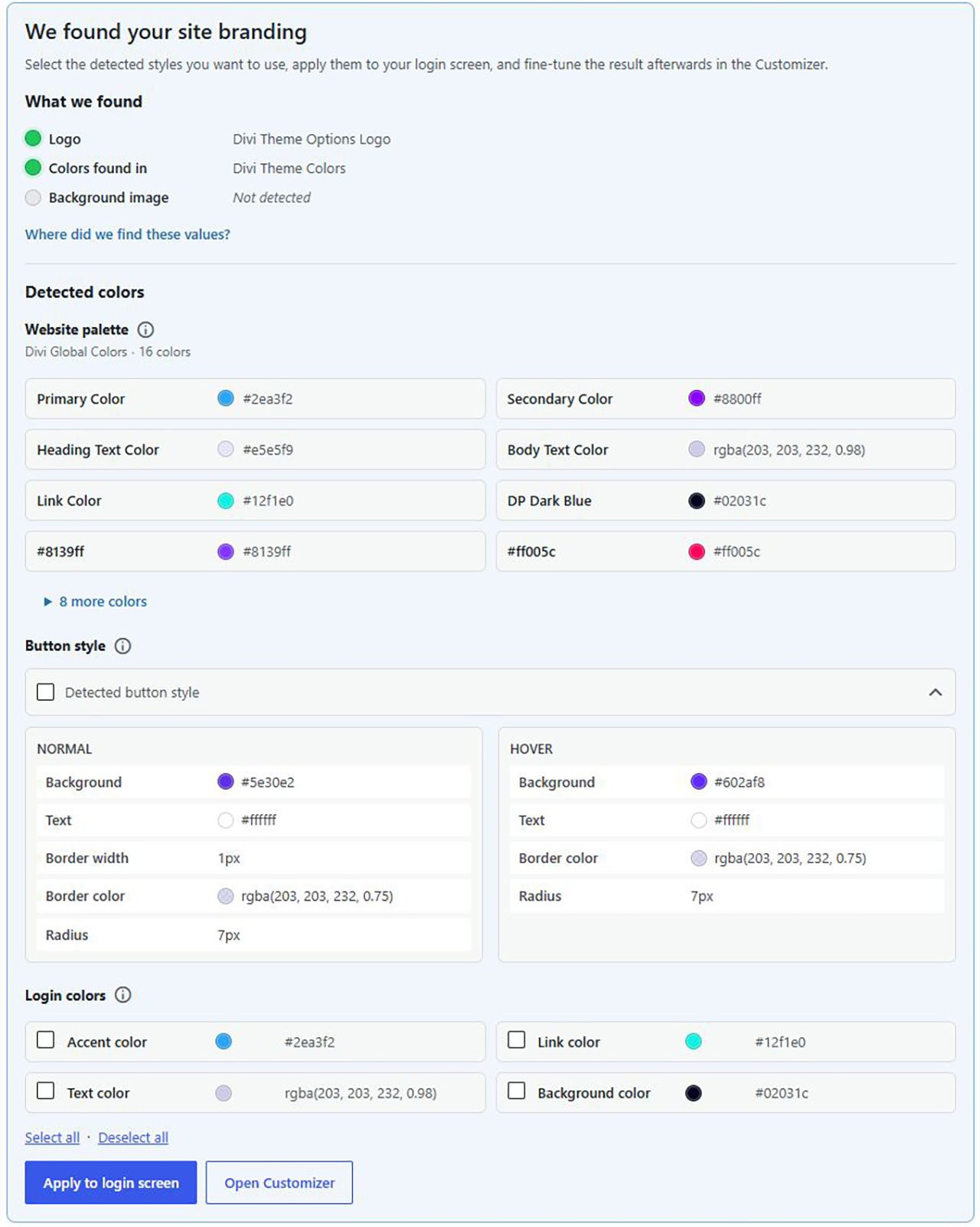
Divi 5 Global Colors
Divi 5 makes this philosophy even more interesting.
Divi has always provided a large visual interface for creating CSS without requiring users to think in CSS syntax. With Divi 5, reusable design values have become a much more fundamental part of that system.
Global Colors now sit within the broader concept of Divi Design Variables.
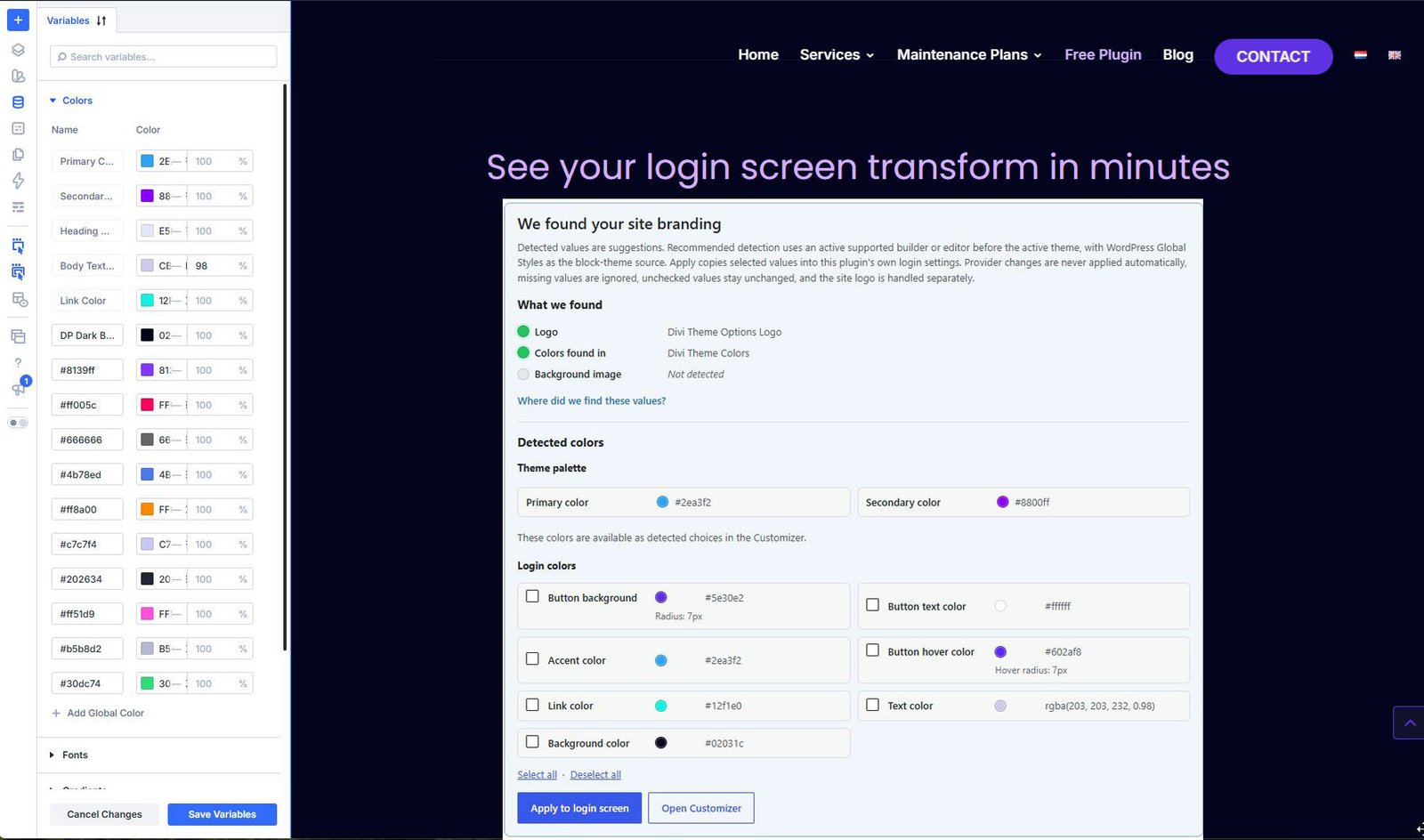
For DP Login Branding, that means Divi's own Global Colors can become the source for the login page palette.
Again, the plugin does not try to recreate Divi's variable system.
That would be the wrong abstraction.
Divi owns its design system. DP Login Branding reads the supported Global Colors, resolves safe static color values and lets you use them when styling the login screen.
There is also an important limitation here: advanced or dynamically derived Divi color expressions may not always resolve to a static color that is appropriate for the login page. In those cases, the plugin skips them rather than trying to imitate Divi's internal rendering engine.
That is deliberate.
Integration is much safer when each system remains responsible for what it does best.
Astra Global Palette
Astra takes another approach with its Global Palette.
The active Astra palette contains a defined set of reusable colors that can then be connected to different theme settings.
DP Login Branding reads that active palette directly.
That means the Website Palette inside the plugin reflects the colors Astra itself considers part of the current design system.
Astra's separate semantic theme settings — such as colors used for particular interface purposes — remain useful too, but they are conceptually different from the palette itself.
That distinction between available design tokens and where those tokens are being used is important.
WordPress Global Styles
The native WordPress block system also has its own design-system layer through Global Styles.
Themes can provide a palette, and users can add or override colors of their own.
Here too, the goal is not to dump every color WordPress happens to know about into the login plugin.
WordPress includes defaults, block-specific settings and other styling data that are not necessarily intentional brand colors for the website as a whole.
DP Login Branding therefore focuses on the active root theme and user palette: the colors that actually form the site's reusable Global Styles palette.
So whether a site is built with Elementor, Divi, Astra or native WordPress, the principle stays the same even though the underlying implementations are completely different.
One plugin, four different design systems
This is the part of the feature that I find most interesting technically.
The four systems do not store or describe colors in the same way.
DP Login Branding therefore has a small normalization layer between them.
It does not try to turn Elementor into Divi or Astra into WordPress Global Styles. It only extracts the information that the login screen actually needs: the identity of the color, its human-readable name and a safe resolved color value.
The result is a consistent Website Palette inside DP Login Branding while the original theme or builder remains the source of truth.
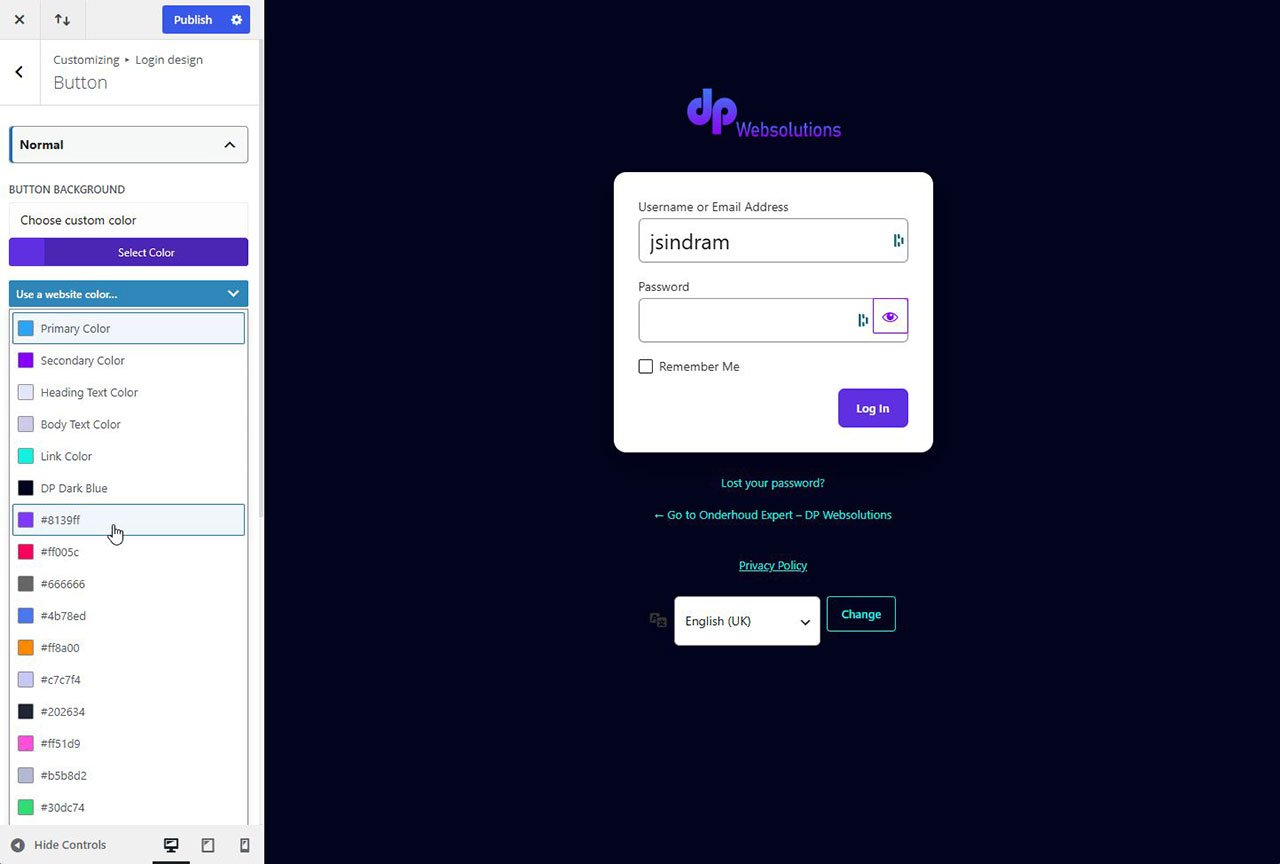
And if two Global Colors happen to have exactly the same hex value but different names, they can still remain separate.
For example, a website might deliberately have:
Primary Brand
and
Footer Green
Both may currently resolve to the same shade of green.
They are visually identical today, but they represent two different design decisions. The plugin preserves that distinction rather than assuming that matching hex values mean the colors are interchangeable.
Why the plugin stores a static result
There is another architectural choice behind this feature that is just as important.
DP Login Branding reads the website's current design system while you are configuring the login page.
But after you publish the design, the login screen does not remain permanently dependent on Elementor, Divi, Astra or Global Styles.
The selected styling is stored as resolved static values.
That means your login page does not unexpectedly change because somebody later renames a Global Color, deletes a design token, switches theme or disables a page builder.
In other words:
Use the design system to make the decision.
Store a stable login design after the decision has been made.
For a login page in particular, I think that is the right balance between integration and reliability.
Better branding with fewer decisions
The most useful automation is often not automation that gives you more settings.
It is automation that removes settings you should never have needed to configure twice.
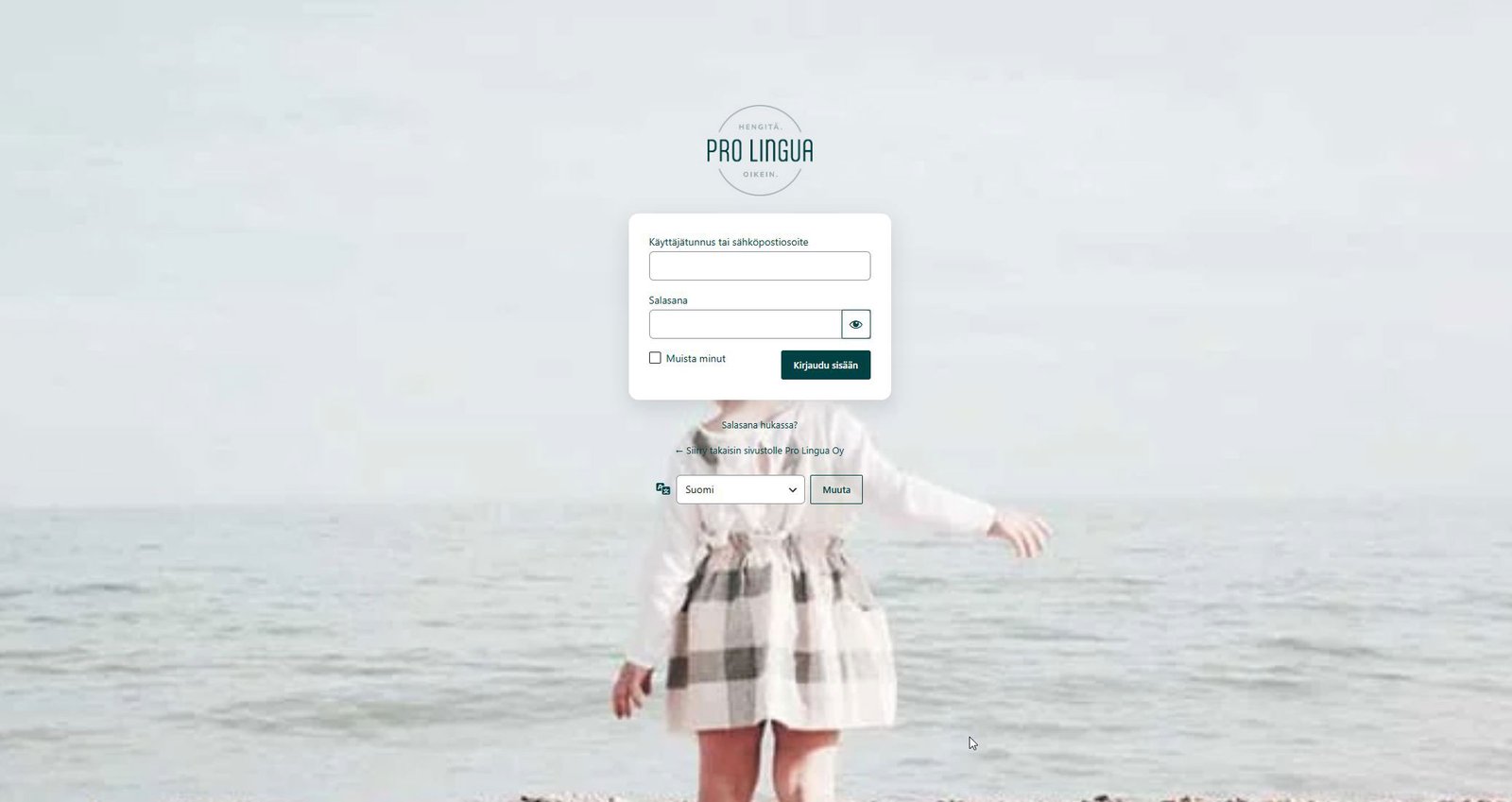
Your website already knows its logo.
It already uses particular fonts and colors.
It may already have a carefully defined set of global design tokens.
A login branding plugin should take advantage of that information rather than pretending it is starting from an empty canvas.
That has become one of the core ideas behind DP Websolutions – Login Branding.
The plugin can still be customized. You remain in control of the result. But where WordPress, your theme or your page builder has already expressed a clear design decision, the plugin can use that as a sensible starting point.
For me, that is what makes the difference between simply changing the appearance of wp-login.php and making the login screen genuinely feel like part of the website.
DP Websolutions – Login Branding
DP Websolutions – Login Branding is available free from the official WordPress.org plugin directory.
It can automatically detect branding information from supported WordPress themes and page builders, while still allowing you to customize the final login design.
The current Website Palette integration supports Elementor Global Colors, Divi 5 Global Colors, Astra Global Palette and WordPress Global Styles, alongside the plugin's existing login branding and automatic detection features.
And importantly, the goal is not to build yet another design system inside WordPress.
It is to make better use of the one you already have.
Your website already knows your brand. Your login page should too.