
Free WordPress plugin
Create a branded WordPress login screen in minutes
DP Websolutions – Login Branding is a free WordPress login branding plugin that detects the logo, colors, gradients and button styles already configured in your theme or page builder. Choose what you want to apply, fine-tune the result and create a polished login screen that matches the rest of your website.
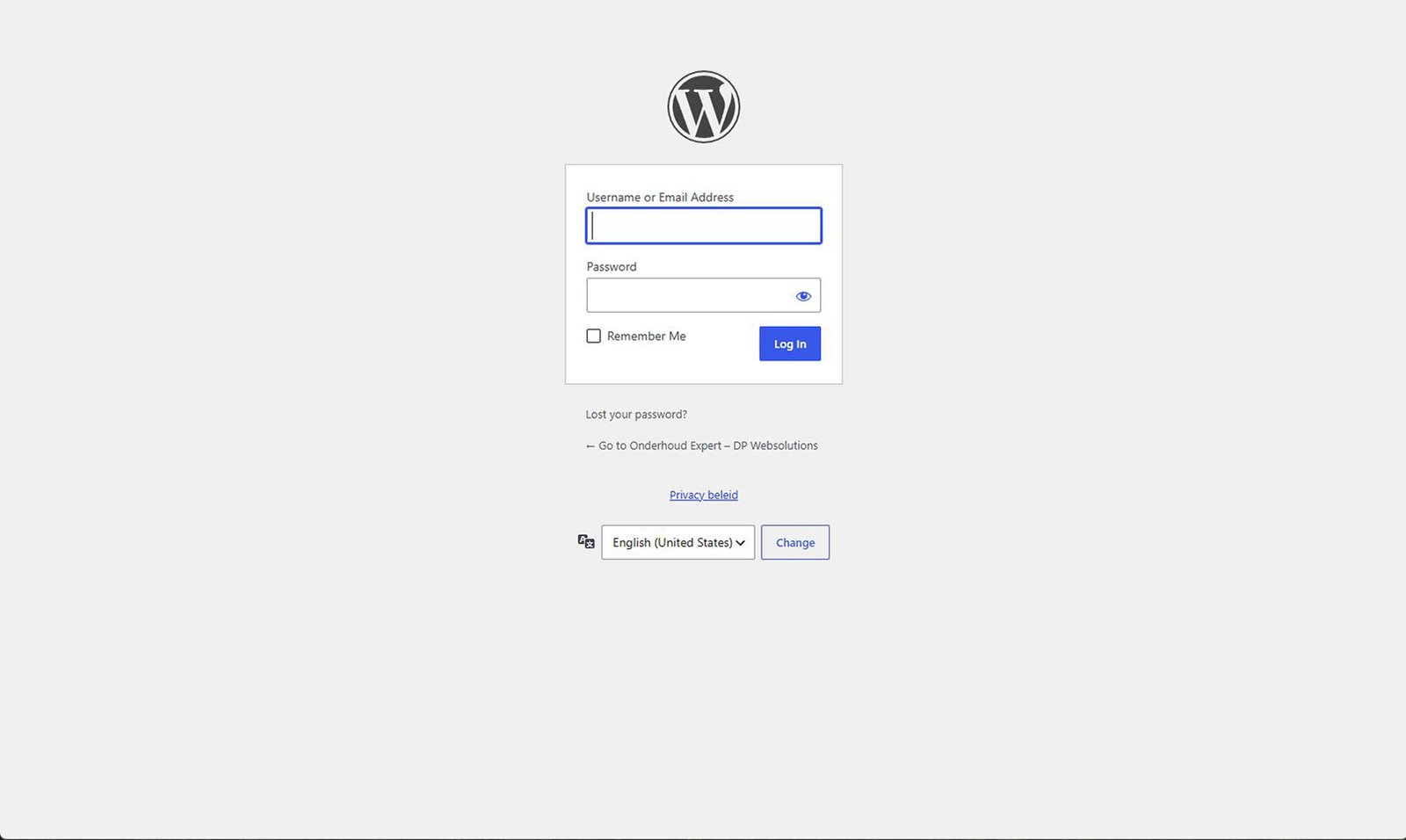
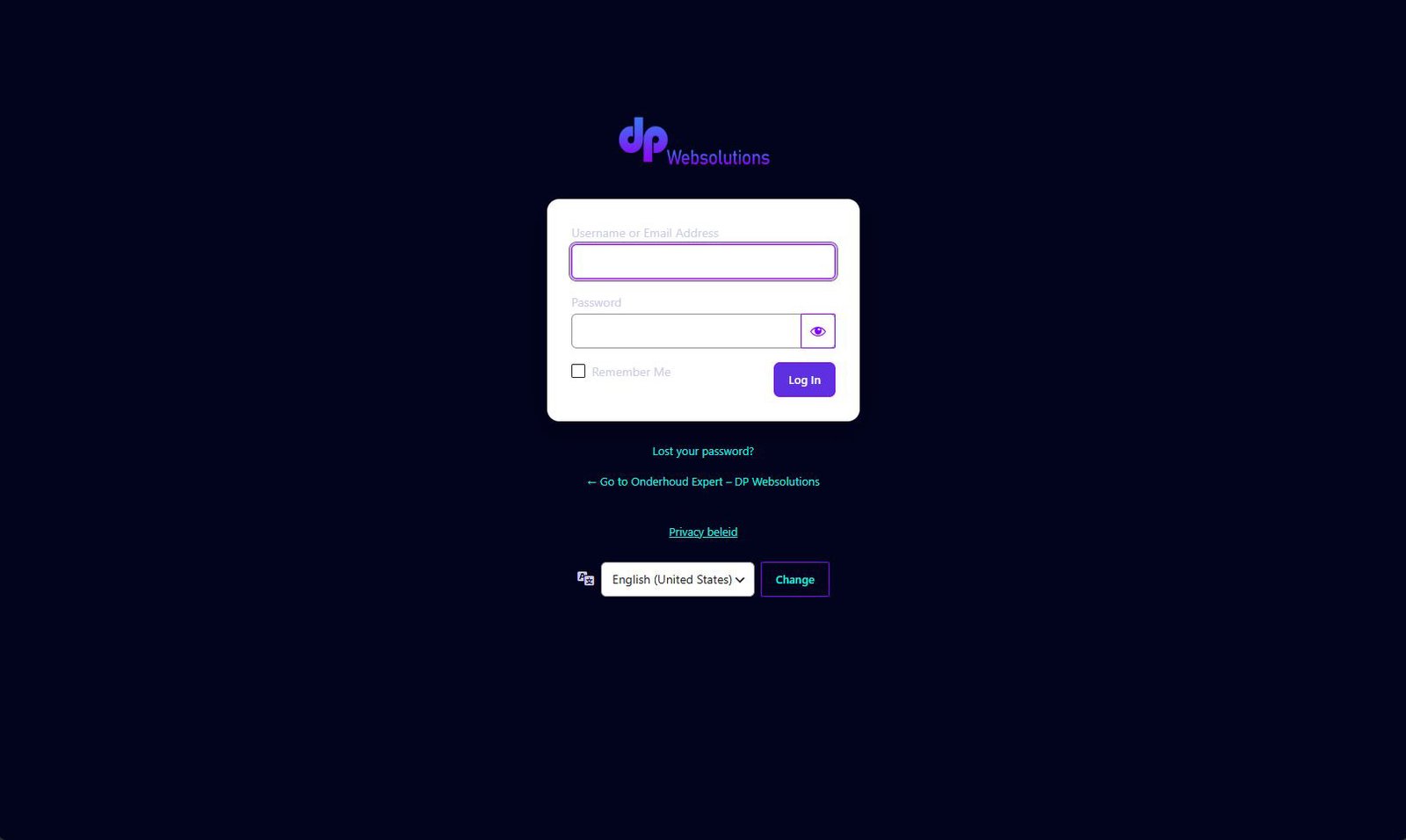
Works with Elementor, Divi, Astra and WordPress Global Styles.
From existing branding to a polished login screen in three steps
Your website’s branding is already configured. DP Websolutions – Login Branding helps you reuse it instead of rebuilding the same design manually for the WordPress login screen.

1. Detect your branding
The plugin reviews the logo, colors, gradients and button styling available in your supported theme or page builder.

2. Choose what to apply
Review the detected values and select only the elements you want to use.

3. Fine-tune and publish
Open the WordPress Customizer, adjust the details and publish your finished login design.
See your login screen transform in minutes
Your branding is already there. Now your WordPress login screen can match it too.
For freelancers and agencies
Give every client website an extra professional finishing touch without manually rebuilding the brand styling for the login screen.
Professional client login
Faster project delivery
Apply only what you choose
For WordPress site owners
Make the private side of your own website feel just as polished and personal as the public site, without writing code.
Match your existing website branding
Customize with live preview
Free and easy to use
Login branding for Elementor, Divi, Astra and WordPress Global Styles
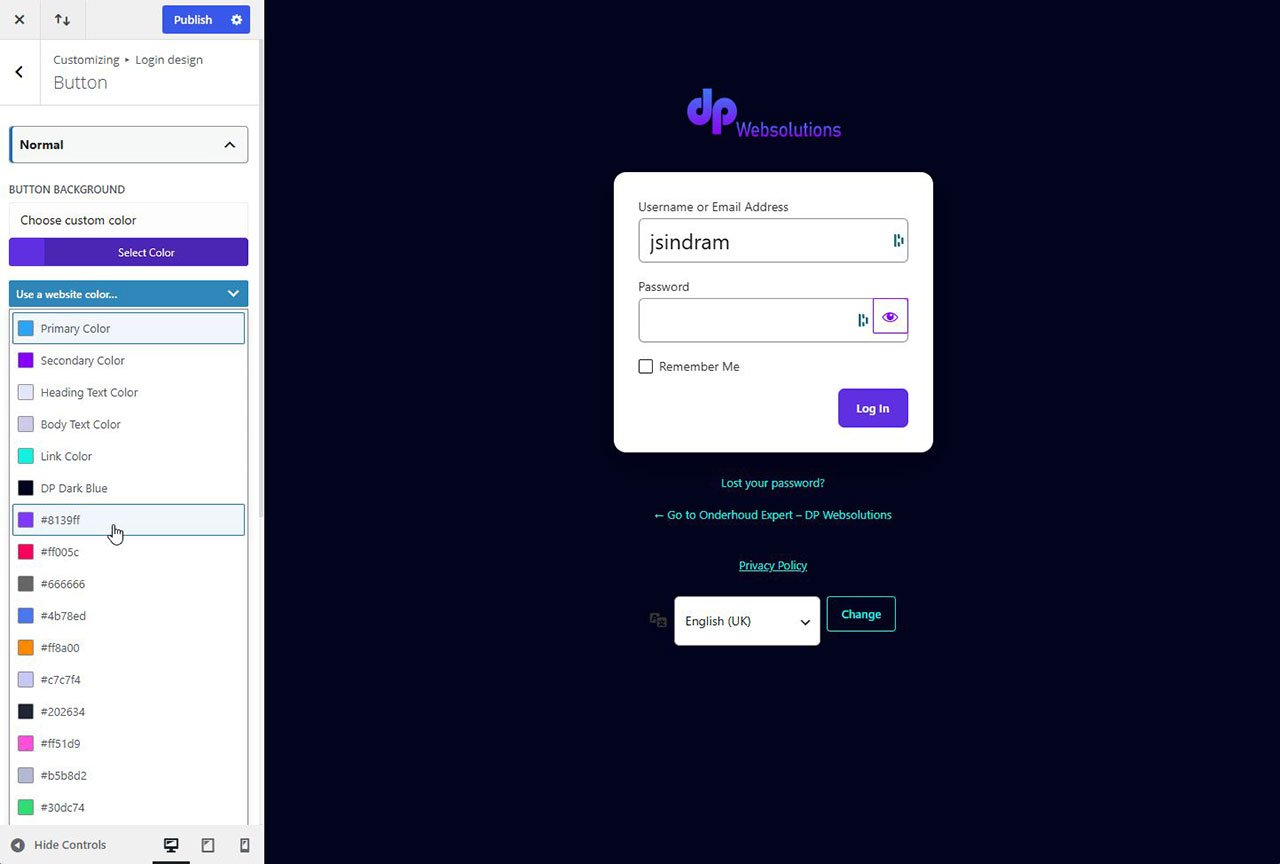
Simply add colours to your login screen using your theme's global palette

Elementor
Use your Elementor Global Colors and button styling as the starting point for your WordPress login screen.

Divi
Turn your existing Divi Theme Colors into a polished login experience for clients, editors and administrators.

Astra
Reuse the available Astra palette and refine the result directly in the Customizer.

WordPress Global Styles
Bring the design system from your block theme to the WordPress login screen.
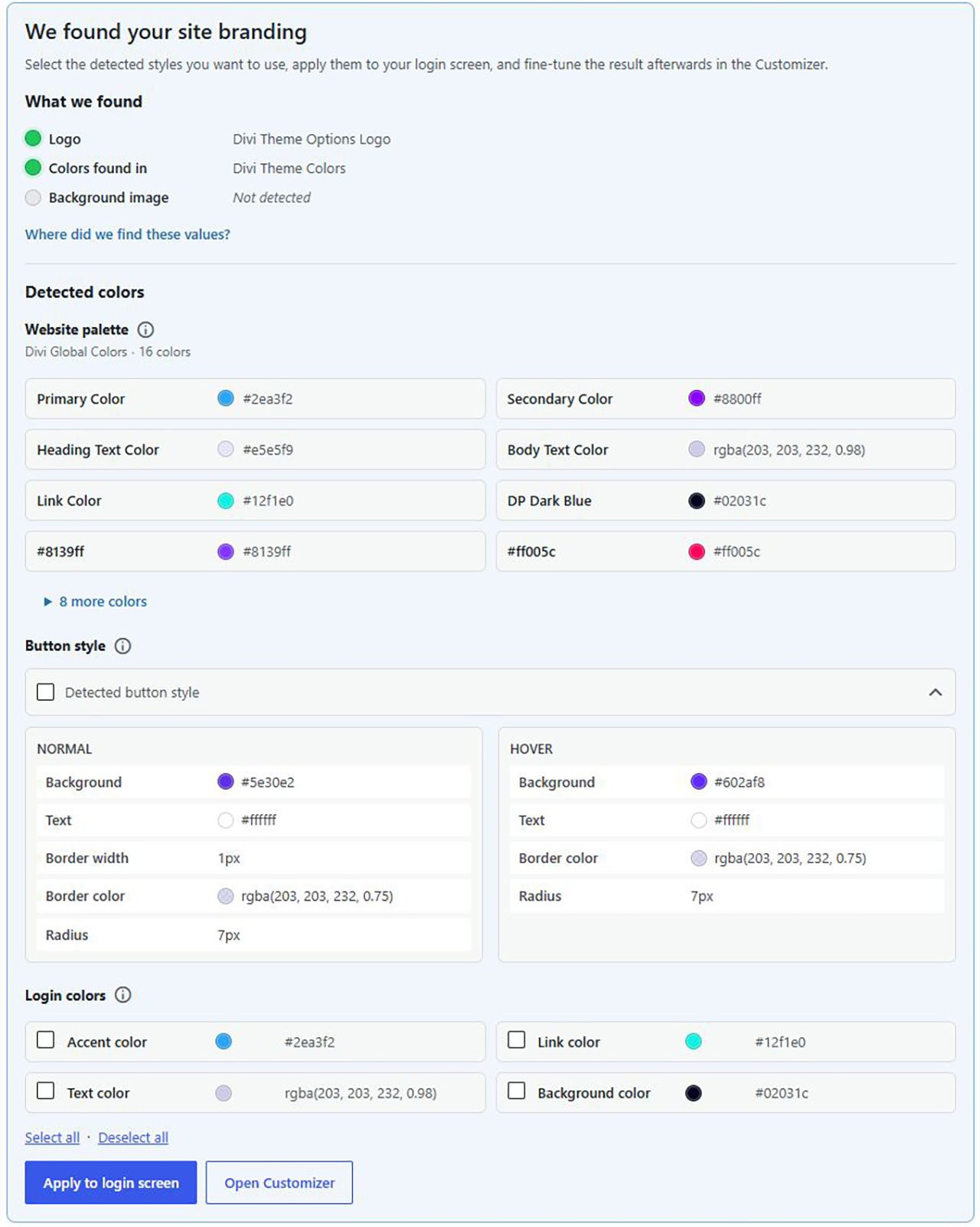
A quick overview shows you what colours your theme is using and you can apply them easily and and immediately
More than just changing a logo
Fine-tune colors, gradients, buttons, form styling, backgrounds and layout directly in the WordPress Customizer.
Detect your existing logo and brand styles
Solid and gradient colors
Button, hover, text and corner styling
Login form and screen backgrounds
Background image position and sizing
Apply only the elements you choose
Fine-tune everything with live preview
Your design stays under your control
Detected branding is presented as a suggestion. You decide what to apply, and the selected design is saved independently. Later changes to your theme or builder do not unexpectedly redesign the login screen.
WordPress login branding FAQ
Is the plugin free?
Yes. It is available free from the official WordPress plugin directory.
Which themes and builders are supported?
Elementor Global Colors, Divi Theme Colors, Astra Theme Colors and WordPress Global Styles.
Can I use it with another theme or builder?
Yes. Automatic detection may not be available, but the login screen can still be designed manually in the Customizer.
Will it automatically change my existing login page?
No. You review and apply the detected values yourself.
Is it suitable for client websites?
Yes. It is particularly useful for freelancers and agencies that want to add a professional branded login experience.
Can I customize the detected design?
Yes. Detected values are a starting point and can be adjusted in the Customizer.
Your website is already branded. Your login screen can be too.
Install DP Websolutions – Login Branding and create a polished WordPress login screen in just a few minutes.